What’s Inside
- Embrace Intentional Decluttering for Your Study Desk Organization
- Optimize Drawer Space with Modular Organizers
- Maximize Vertical Space with a Desk Shelf System
- Master Cable Management with Under-Desk Trays
- Implement a Color-Coding System for Cables
- Invest in Ergonomic Task Lighting
- Prioritize Ergonomic Seating and Monitor Placement
- Utilize Pegboards for Customizable Vertical Storage
- Create Zones for Different Activities
- Incorporate Biophilic Elements Thoughtfully
- Use Magnetic Strips for Small Metal Tools
- Dedicate a Landing Zone for Incoming Papers
- Integrate Wireless Charging and Peripherals
- Avoid the Common Mistake of Over-Purchasing for Study Desk Organization
I was sitting at my desk last Tuesday when my elbow caught a charging cable, sending a half-empty mug of cold coffee across a stack of unpaid bills. That was my rock bottom. My study desk organization was nonexistent, and it was killing my time, money, and sanity. I spent three hours scrubbing sticky liquid off a $14.99 notebook I’d grabbed at Target. I realized I couldn’t keep working in a disaster zone. If you’re tired of shifting piles of paper just to find your mouse, you aren’t alone. I’ve spent years testing every bin, tray, and cable tie on the market. Some methods work beautifully. Others are a complete waste of cash. Let’s look at what actually keeps a workspace functional, clean, and ready for real work.
1. Embrace Intentional Decluttering for Your Study Desk Organization

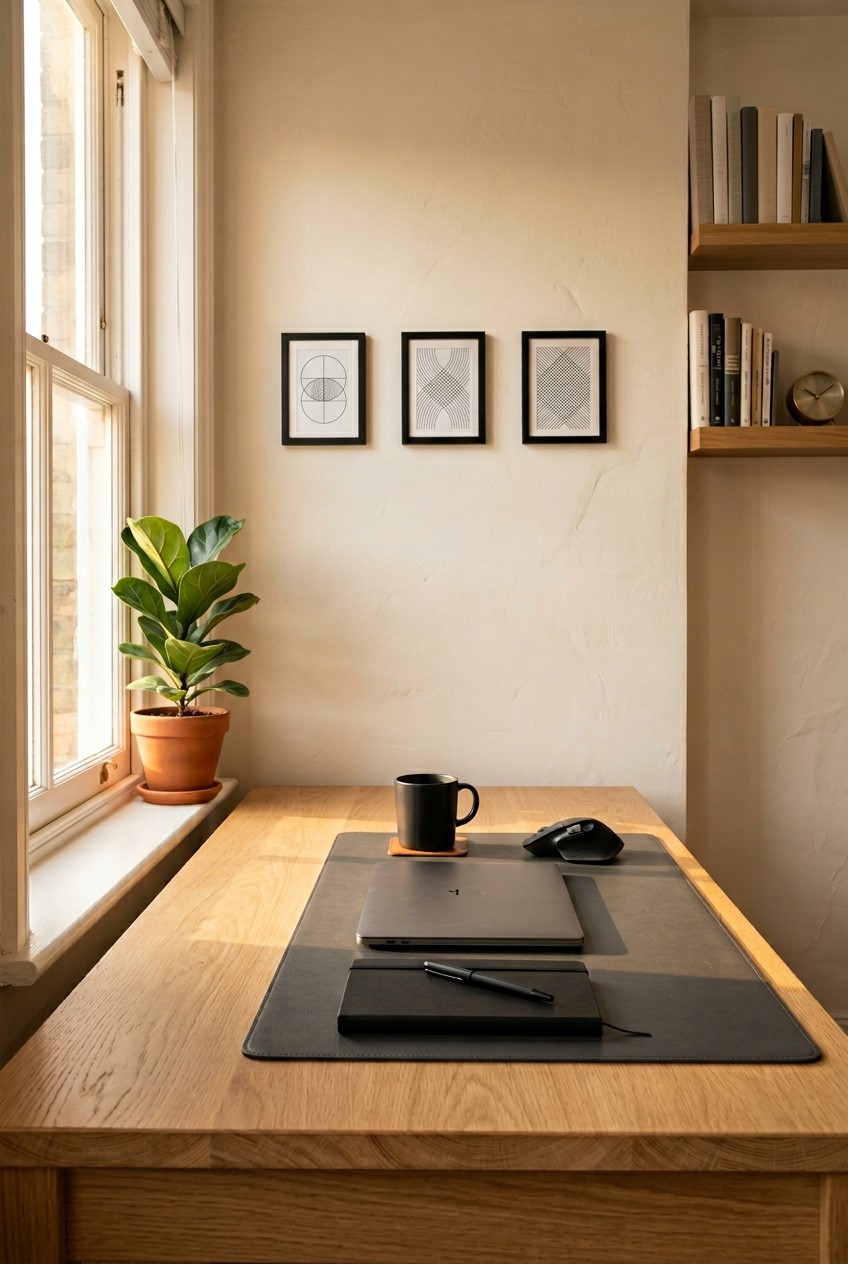
The 2026 minimalist aesthetic isn’t just for social media. It’s about cutting visual noise so you can focus. I did this wrong for months. I bought twelve woven baskets from Walmart for $14.99 each and just hid my trash in them. Don’t do that. You can’t organize clutter; you have to remove it. Start by clearing every single item off your desk. Critically look at each pen, sticky note, and paperclip. Most people go wrong by keeping items they only use once a year on their primary surface. Use a strict “one-in, one-out” rule for new purchases. If you buy a new notebook, an old one hits the recycling bin. When I finally tossed a cup full of dried-up highlighters, the relief was immediate. Wipe down the bare wood with a damp microfiber cloth. The faint smell of lemon cleaner on an empty desk is the best motivation. Your study desk organization relies on defending that empty space from useless junk. I learned that the hard way.
2. Optimize Drawer Space with Modular Organizers

If you open your drawer and hear the scraping sound of a hundred loose paperclips, you’re doing it wrong. Prevent that jumbled mess by using modular drawer organizers. I swear by the iDesign Linus Deep Drawer Organizers. You can grab them at The Container Store, with prices starting around $3.99 for the 3×3 inch squares. They use clear, sturdy plastic that won’t crack if you drop a heavy stapler into them. I bought a 6-piece set and measured my drawers (12 inches wide, 4 inches deep) before arranging them. The clear plastic is vital because you see everything instantly. There are no dark corners for dust to hide. I recently bought a 30-pack of black gel pens from Costco for $19.99, and having a dedicated 9-inch long acrylic tray for them felt amazing. This modular approach ensures every item has a home. You won’t waste ten minutes rummaging for a thumb drive ever again.
3. Maximize Vertical Space with a Desk Shelf System

Staring down at a laptop all day is a great way to ruin your neck. You need to maximize vertical space with a desk shelf. Brands like Grovemade offer premium options, like their Walnut Desk Shelf, which runs anywhere from $290 to $3200 depending on the wood grain and size. The smooth texture of real walnut and the solid weight make a cheap desk look expensive. If you can’t drop three hundred dollars, look for a budget-friendly monitor riser with drawers. I bought a thin plastic stand from Target for $15 years ago, and it was a massive mistake. It bowed in the middle, and my monitor wobbled every time I typed. I’d recommend spending at least $50 on a solid metal or thick acrylic riser. Raising your screen creates a brilliant 4-inch tall tunnel underneath. I use that hidden space for a 4 oz bottle of hand lotion, my reading glasses, and a bulky hard drive. It keeps ugly items out of sight while staying an arm’s reach away.

iDesign Laundry Detergent Holder
Honestly, iDesign Laundry Detergent Holder surprised me — sturdier than it looks in the photos, and over 13 buyers gave it 4.5 stars.
4. Master Cable Management with Under-Desk Trays

Tangled cords aren’t just ugly. They’re a safety hazard. I once tripped over my laptop power cord, yanked it out of the wall, and bent the connector at a 45-degree angle. Under-desk cable trays are lifesavers for hiding power strips and loose loops. Products like the Cinati Desk Cable Tray have a no-drill, clamp-on design and cost around $20 to $40. You just twist the metal clamp onto the back edge of your desk. No power tools needed. The NeatDesk Under-Desk Cable Management Tray is another strong choice for keeping heavy power bricks off the floor. I suggest bundling your monitor and PC cords with a black neoprene sleeve. The sound of the velcro closing over a thick bundle of wires is the best part. When you look under your desk, you won’t see a spiderweb of rubber. You’ll just see empty space and clean lines. You might also like: 15 Stunning Home Storage Ideas to Transform Your Space
5. Implement a Color-Coding System for Cables

If you’re staring at a jungle of wires, you know the pain of troubleshooting fatigue. When you’ve got ten identical black USB cables, unplugging your webcam instead of your printer is a daily annoyance. I’ve found a surprisingly effective tip: color-coding. Use colored velcro ties to label both ends of every cord. I bought a 50-pack of reusable colored ties for $7.99 on Amazon. I use red for power, blue for data and network cables, green for audio/visual, and yellow for peripheral charging. Wrapping the 3-inch red strap around a thick power cord takes ten seconds, but it saves hours of frustration. The bright yellow instantly tells me which wire belongs to my mouse. Honestly, this changed how I handle tech. You won’t have to trace a dusty black wire through a knot ever again. It’s a tiny visual cue that makes a massive difference. You might also like: 15 Stunning Organizing Kitchen Home Hacks Ideas You Haven’t Thought Of
6. Invest in Ergonomic Task Lighting

Poor lighting causes eye strain, headaches, and fatigue. Squinting at a bright screen in a dim room is terrible for your retinas. The current trend combines heavy-duty lighting with sleek organization. I highly recommend the BenQ e-Reading LED Desk Lamp, which costs around $225. It has a curved head over 15 inches long, illuminating a 48-inch workspace with zero glare. If you’ve got a massive budget, the Dyson Solarcycle Morph Desk Lamp runs about $649.99 USD and features daylight tracking with a 60-year LED life. For a budget-friendly alternative, I’ve used the Honeywell Sunturalux Foldable Modern Desk Lamp. It’s only $40 and features a compact 2×4 inch base. I used to rely on a cheap overhead light. It cast a harsh shadow right over my keyboard. Upgrading to a dedicated lamp with a warm yellow setting made reading 8.5×11 inch paper documents so much easier on my eyes. The soft glow eliminates the harsh contrast of a monitor. Trust me on this. You might also like: 20 Beautiful Aesthetic Home Makeover You Can Try Today

AMKUFO 6 Pack-Closet-Organizers-and-Storage
Honestly, AMKUFO 6 Pack-Closet-Organizers-and-Storage surprised me — sturdier than it looks in the photos, and over 52 buyers gave it 4.5 stars.
7. Prioritize Ergonomic Seating and Monitor Placement

You can have the prettiest desk in the world, but if your chair hurts, you won’t get work done. Ergonomics experts at Cornell University emphasize that monitor height, keyboard placement, and chair adjustments reduce physical strain. Adjust your chair so your feet rest flat on the floor. Your knees should sit at a 90-degree angle, and your hips should be slightly higher than your knees. I sat on a rigid wooden dining chair for a year. My lower back throbbed every afternoon at 3 PM, and the wood left indentations on my legs. I finally bought a mesh ergonomic chair for $150. The breathable fabric stopped the back sweat I’d get in summer. Position your monitor directly in front of you, roughly an arm’s length away (20 to 40 inches). The top bezel of the screen should sit at or slightly below eye level to keep your neck neutral. It’s a simple adjustment that cures end-of-day stiffness.
8. Utilize Pegboards for Customizable Vertical Storage

When you run out of horizontal space, move up. The IKEA SKÅDIS Pegboard is a top choice, and it only costs about $29.99 for the 30×22 inch version. It allows for customizable storage using metal hooks, clear containers, and small wooden shelves. I mounted a white one directly to the drywall above my monitor. I keep my heavy metal scissors, a roll of packing tape, and a 2 oz bottle of screen cleaner on it. The painted wood looks clean and modern. I even hung a small wire basket for my daily vitamins and spare charging bricks. It keeps the desk surface bare without hiding my most-used tools in a dark drawer. I recently bought a bulk box of protein bars from Costco, and I keep three stacked on a pegboard shelf for snacking. It’s the perfect way to organize supplies while maintaining a clean background for video calls.
9. Create Zones for Different Activities

A massive trend is zone-based organization, where your desk adapts to specific roles. You need to designate physical areas for different tasks. Create a “work zone” for your computer, a “writing zone” for notebooks, and a “charging zone” for your phone. I used to eat, write, and type in the same 12-inch square of space. It was a disaster. Cracker crumbs got stuck under my spacebar, and coffee rings stained my legal pads. Now, my mechanical keyboard has its own 24-inch wide black leather desk mat. My writing zone is pushed to the left, where I keep a 5×8 inch spiral notebook and my favorite pen. I keep my snacks in a designated spot too. I bought a bag of dried chili mango from Trader Joe’s for $3.99, and it only stays in the snack zone on the far right. This prevents items from migrating and ensures everything is instantly accessible.

4 Pack Laundry Pods Container
4 Pack Laundry Pods Container punches above its price — 473 buyers rated it 4.5 stars. I would buy it again.
10. Incorporate Biophilic Elements Thoughtfully

Biophilic design merges nature and productivity, and it’s popular for good reason. Staring at plastic and aluminum all day is depressing. Adding a small, low-maintenance plant like a succulent or an air plant in a minimalist planter improves air quality and adds a natural element. I bought a tiny 4 oz aloe plant from Sprouts for $5.99. I put it in a matte white ceramic pot. The bright green color breaks up the endless gray and black tones of my monitors and cables. Plants add life to technological environments. However, avoid over-decorating. A common mistake is turning your desk into a greenhouse. I once had six small potted plants crowded around my monitor base. I knocked three of them over reaching for a phone, spilling wet potting soil directly into my keyboard switches. Stick to a single, impactful plant. It’s easier to water and won’t crowd your mousepad.
11. Use Magnetic Strips for Small Metal Tools

Here’s a tip I love: repurpose a magnetic kitchen knife strip to hold your small metal office supplies. You can buy a sleek 12-inch stainless steel magnetic strip for $15 to $30. It easily holds heavy metal scissors, binder clips, tweezers, or even small screwdrivers. I found one at Kroger for $18.99 in the kitchen aisle. I mounted it vertically on the side of my metal filing cabinet, right next to my knee. The loud, sharp ‘clack’ sound when the scissors snap onto the magnet is deeply satisfying. It keeps frequently used tools accessible without taking up a single square inch of desk surface. I used to lose my tiny flathead screwdriver constantly. Now it lives permanently on the magnetic strip. You don’t have to dig through a cluttered pencil cup and accidentally stab your finger on a sharp edge. It’s a brilliant, industrial-looking solution that costs almost nothing.
12. Dedicate a Landing Zone for Incoming Papers

If you don’t have a specific place for new mail, it will spread across your entire workspace like a virus. Avoid paper piles by dedicating a small “inbox” tray or a vertical file sorter on the corner of your desk. This prevents papers from migrating and allows you to process them during a scheduled time, rather than letting them accumulate randomly. A simple, clear acrylic document sorter usually costs around $10 to $20. I lost a $500 tax refund check two years ago because it got buried under grocery flyers and old notes. That was a painful lesson. Now I’ve got a 10×13 inch transparent acrylic tray sitting on the back left corner of my desk. Every incoming envelope, receipt, and sticky note goes directly into it. I process the entire pile on Fridays at 4 PM. Because the tray is clear plastic, it looks practically invisible and doesn’t add heavy visual weight to the room.

Rubbermaid Configurations Deluxe Custom Closet Kit 4-8 Ft.
Rubbermaid Configurations Deluxe Custom Closet Kit 4-8 Ft. Adjustable has been one of the most consistently praised picks in this category. 81 reviewers averaged 4.5/5.
13. Integrate Wireless Charging and Peripherals

Wireless technology is a mandatory component of a clutter-free workspace. Opt for a desk with integrated wireless charging, or just add a wireless charging pad to eliminate those annoying frayed phone cables. Brands like Anker or Belkin sell fantastic pads for $20 to $60. I spilled a $4.99 bottle of organic blackberry kombucha from Whole Foods all over my wired mechanical keyboard last year. The sticky liquid ruined the switches, and the attached wire made it impossible to quickly pick up and drain. I immediately switched to a wireless keyboard and a $35 Belkin charging pad for my smartphone. The pad is just a sleek, heavy black circle, about 4 inches across. You just drop your phone on it when you sit down. There are no tiny metal connectors to fiddle with, and no white cords dragging across your paperwork. Switching to a wireless mouse also reduces cable drag, making your setup feel cleaner and more responsive.
14. Avoid the Common Mistake of Over-Purchasing for Study Desk Organization

While organizers are helpful, a common mistake is buying too many before you assess your needs. This leads to more clutter than organization. Professional organizers always advise a “declutter first, organize second” approach. Only purchase acrylic bins once you know exactly what you need to store and how much space it requires. I used to buy expensive matching sets of velvet-lined trays before measuring my drawers. I ended up with a closet full of empty $15 organizers that didn’t fit anywhere. Once you’ve got the right setup, you must maintain a “clean slate” routine daily. Dedicate 5 to 10 minutes at the end of each workday to return items to their homes. Put the pens back in the tray. Wipe down the desk surface with a damp cloth. This simple routine is often overlooked, but it ensures you start each morning with a clean, organized workspace. The visual of a clear desk when you walk in with your coffee instantly improves your focus. No exaggeration.
Keeping a workspace functional isn’t about buying a hundred expensive plastic bins. It’s about building systems that match your daily habits. I’ve wasted so much time and money trying to force myself to use complicated filing systems that just didn’t stick. Start small. Clear the trash, raise your monitor, and get those cables off the floor. Once you experience the mental clarity of sitting down at a perfectly clean, well-lit desk, you won’t ever go back to working in a pile of clutter. If you found these tips helpful, be sure to pin this article for later when you’re ready to tackle that junk drawer!
Frequently Asked Questions
What is the best way to start organizing a messy study desk?
Start by completely clearing your desk surface. Take every single item off and wipe down the wood. Only put back items you use daily, and throw away dried-up pens or old receipts immediately. This prevents unnecessary visual clutter.
How can I hide all the messy computer cables under my desk?
Install a no-drill metal cable management tray under the back edge of your desk to hold bulky power strips. Group your remaining wires together using a black neoprene cable sleeve to create one clean, thick cord instead of a messy web.
Are clear drawer organizers better than solid colored ones?
Yes, clear acrylic or plastic drawer organizers are highly recommended. They let you see exactly what’s inside without creating dark shadows where dust and crumbs can hide, making it much easier to maintain your study desk organization long-term.
How far away should my computer monitor sit on my desk?
Ergonomics experts suggest keeping your monitor roughly an arm’s length away, which is about 20 to 40 inches from your face. The top bezel of the screen should sit exactly at or slightly below your natural eye level to prevent neck strain.
