What’s Inside
- Implement a “One-Touch” Mail System Daily For Better Home Document Organization
- Invest in a High-Speed Document Scanner for Efficient Digitization
- Utilize AI-Powered Document Management for Smart Categorization
- Establish a Clear Document Retention Schedule to Prevent Hoarding
- Create a Centralized, Color-Coded Physical Filing System
- Label Everything Precisely with a Quality Label Maker
- Opt for Portable File Boxes for Active Projects and Mobility
- Secure Vital Documents in a Tested Fireproof and Waterproof Bag
- Set Up a Dedicated Action Item Clipboard for Urgent Bills
- Use Clear Poly Envelopes for Tax Receipts on the Go
- Digitize Kids’ Artwork Instead of Stuffing Drawers
- Create a Life Binder for Emergency Contacts and Passwords
- Master Home Document Organization With a Digital Cloud Backup
- Keep a Mini Shredder Right Next to Your Trash Can
- Use Magazine Holders for Manuals and Warranties
- Schedule a 15-Minute Weekly Paper Purge
My absolute lowest point with home document organization happened last Tuesday at Whole Foods. I stood in the checkout line frantically digging through my oversized tote bag for a $10 off coupon I swore I’d printed, while the cashier stared holes into my soul and my frozen pizza slowly thawed on the cold, stainless steel belt. I didn’t find the coupon. Instead, I pulled out a crumpled 2021 tax return, three sticky receipts smelling faintly of old peppermint gum, and a jury duty summons I’d entirely missed. That public humiliation finally forced me to fix my paper clutter once and for all. I tried piling things in generic beige folders for months before realizing that just hides the mess in a drawer. If you’re drowning in paper, I feel your pain. I’m going to walk you through the exact system I use now to keep my counters clear and my sanity intact. Skip the complicated filing methods that require a degree in library science. Let’s get into the practical stuff that actually works for normal, busy people. It took me years to figure out, but trust me on this—simple beats perfect every time.
1. Implement a “One-Touch” Mail System Daily For Better Home Document Organization

I used to dump my mail on the kitchen island and ignore it until it formed a leaning tower of stress. The cornerstone of effective home document organization is the “One-Touch” rule. You handle a piece of physical paper exactly once. When I walk in the door, I take my mail straight to my designated sorting spot by the coffee maker. I don’t set it down to look at later. I process it right then and there. I immediately shred junk credit card offers using my cross-cut shredder. The sound of that machine chewing up glossy, annoying junk mail is honestly my favorite part of the day. For the actionable stuff, I use a two-tier acrylic tray I bought at Target for $14.99. The top tier is labeled “To Do” for bills to pay or RSVPs to mail back. The bottom tier is labeled “To File” for bank statements I need to keep long-term. This prevents those mystery piles from accumulating on every flat surface in your house. A common mistake I see clients make is creating a “maybe” pile. Don’t do it. A maybe pile is just a trash pile you’re too scared to commit to. Force yourself to make a decision immediately. It takes me maybe three minutes a day, and it keeps my counters completely clear.
2. Invest in a High-Speed Document Scanner for Efficient Digitization

If you’re serious about going paperless, your smartphone camera just won’t cut it. I tried using free scanning apps for months before figuring out they take way too long for big stacks of paper. The shadows always ruin the image, and my arm would get tired holding the phone perfectly still. You need a dedicated machine. The ScanSnap iX2500 is a beast for this exact purpose. It costs around $500 to $600, which I know is a steep investment, but it scans an impressive 45 pages per minute. It has a beautiful 5-inch touchscreen and a 100-sheet automatic document feeder. You literally just drop a massive stack of medical bills in the top, hit one button, and it sucks them through faster than you can blink. If you’re on a tighter budget, the Epson ES-400 II is another solid choice that scans at 35 pages per minute for about a hundred bucks less. I personally swear by the ScanSnap because it connects directly to my home Wi-Fi. I don’t even need to plug it into my laptop with a clunky cord. I keep mine on a small shelf in my home office, right next to a stack of 8.5 x 11 inch printer paper. When you make scanning frictionless, you’re actually going to do it.
3. Utilize AI-Powered Document Management for Smart Categorization

The 2026 trend of Artificial Intelligence in document management is honestly wild. We’re moving past basic Optical Character Recognition where a computer just blindly reads the text on a page. Now, the software actually understands what the document is. Solutions like DocuClass AI Capture are stepping up to automatically categorize your files, extract key data, and even summarize complex legal contracts. I uploaded a 14-page mortgage agreement last month, and the AI spit out a three-sentence summary of my interest rate and early payoff penalties. It felt like magic. I’m not a tech genius by any means, but setting this up wasn’t terrible. You basically feed your scanned PDFs into the software, and it sorts them into digital folders for you. No more manually typing out file names until your fingers cramp. A huge mistake people make with digital files is dumping everything into one massive downloads folder and hoping the search bar will save them later. It won’t. AI tools fix this by reading the context of the paper. It knows a receipt from Costco for $142.86 is groceries, while an invoice from the plumber is home maintenance. It boosts your daily efficiency and removes the dread of digital filing.
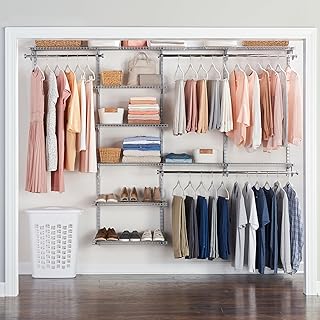
Rubbermaid Configurations Deluxe Custom Closet Kit 4-8 Ft.
Rubbermaid Configurations Deluxe Custom Closet Kit 4-8 Ft. Adjustable has been one of the most consistently praised picks in this category. 81 reviewers averaged 4.5/5.
4. Establish a Clear Document Retention Schedule to Prevent Hoarding

I used to be a massive paper hoarder. I had a utility bill from 2014 sitting in a drawer because I thought I might need it “just in case.” Spoiler alert. I didn’t. You have to establish a clear document retention schedule to prevent your house from turning into a fire hazard. Here is the strict rule of thumb I give all my clients. Shred your old physical bank statements after exactly one year. Scan your daily receipts after tax season and toss the paper immediately. You must retain your tax returns and supporting documents for 6 to 7 years. I keep a printed cheat sheet of these rules taped to the inside of my filing cabinet door so I don’t second-guess myself. Last spring, I bought a box of heavy-duty 30-gallon Hefty trash bags from Walmart for $11.94 and completely purged my files. I filled three massive bags with outdated insurance policies and expired warranties. The physical weight lifted off my shoulders was incredible. A pro tip for you. Don’t try to purge your entire filing cabinet in one sitting. You’ll get decision fatigue and give up halfway through. Pick one drawer, set a timer for 20 minutes, and be ruthless.
5. Create a Centralized, Color-Coded Physical Filing System

Scattering your important papers across three different rooms is a recipe for disaster. You need one centralized location for all physical documents. I keep a metal filing cabinet tucked in my guest room closet. To make things visually intuitive, you have to use color-coding. I highly recommend a pre-designed system like FreedomFiler for home use. It takes all the guesswork out of folder structure. If you’re more of a DIY person, assign specific colors to different life categories. I use red folders for medical records, blue for financial accounts, and green for household bills. When I need to find my dog’s vaccination record, my brain automatically looks for the red section. It cuts my search time in half. I tried using standard manila folders for years, and they all just blend together into a sea of beige. It looks like faded cardboard and makes me feel like I’m working in a 1990s cubicle. Invest in a 25-pack of Pendaflex colored hanging folders. They cost exactly $14.28 on Amazon. Make sure you buy the letter size, not legal size, unless you have a massive cabinet. Color-coding makes filing intuitive and retrieval quick. You might also like: 15 Gorgeous Organizing Bathroom Home Hacks Ideas Worth Trying This Year
6. Label Everything Precisely with a Quality Label Maker

I can’t stress this enough. Unlabeled folders are completely useless. Writing on a folder tab with a smudged ballpoint pen is a mistake I made for way too long. It looks messy, and you can’t read it from a distance. You have to label everything precisely with a quality label maker. My personal favorite is the Brother P-touch PT-D210, which runs around $60. It prints crisp, clear labels that don’t peel off in humid weather. If you want a more budget-friendly option, I recently tested the NIIMBOT D110. It costs about $17.99, features Bluetooth connectivity, and has an internal battery so you don’t have to constantly buy AA batteries. You just type the label on your phone app and it prints instantly. I use a 12mm white tape with black text. I label my physical folders, my acrylic storage bins, and even my charging cables. When you print a label, be hyper-specific. Don’t label a folder “Car.” Label it “2020 Honda CR-V Maintenance.” Clear, specific labels take the guesswork out of where things belong. When everything has a clearly marked home, you’re much less likely to just shove papers into random desk drawers. You might also like: 20 Inspiring Organizing Storage Home Hacks Ideas for Any Style
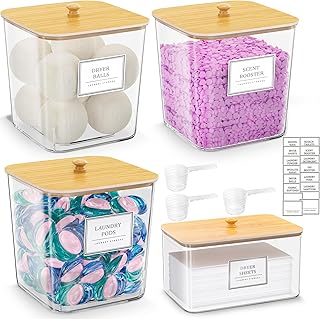
HomePekite Laundry Pods Storage Container
If you want something that just works, HomePekite Laundry Pods Storage Container is a safe bet (15 reviews, 4.5 stars).
7. Opt for Portable File Boxes for Active Projects and Mobility

Not all documents belong hidden away in a dusty filing cabinet. For active projects, like planning a wedding, managing a home renovation, or handling estate paperwork, you need a portable file box. I use the Pendaflex Portable File Box, which measures approximately 14.25 inches wide, 9.25 inches deep, and 11 inches high. It perfectly holds standard letter-size hanging folders. I treat this box as my mobile command center. I can grab it by the handle and carry it from my office to the kitchen table when I’m ready to work. Last summer, when we remodeled our master bathroom, I kept every contractor quote, 4 oz tile grout sample receipt, and plumbing permit in this box. It sat right on my dining table for three months. A big negative about standard filing cabinets is that they trap your active paperwork out of sight. Out of sight means out of mind. When I used to file active medical bills in a drawer, I’d completely forget to pay them. Keeping a portable box out in the open keeps your current priorities front and center. Once a project is finished, I transfer the final paperwork to the main filing cabinet. You might also like: 20 Creative DIY Garage Organization Ideas That Changed Everything
8. Secure Vital Documents in a Tested Fireproof and Waterproof Bag

Please don’t keep your social security card floating loose in a desk drawer. You must protect irreplaceable items from fire and water damage. We’re talking about birth certificates, passports, vehicle titles, and property deeds. I keep all of my family’s vital documents in an Engpow Fireproof File Organizer Bag With Lock. I bought it on Amazon for exactly $34.99. It performed incredibly well in independent tests, and it offers great internal organization with mesh pockets and card slots. It feels like a thick, rubbery briefcase. A few years ago, a pipe burst in my neighbor’s upstairs bathroom and flooded their home office. They lost all their original marriage documents because they were sitting in a cardboard shoebox on the floor. Don’t let that happen to you. I keep my Engpow bag on the top shelf of my bedroom closet, well above ground level in case of flooding. It’s bright silver, so it’s easy to spot and grab in an emergency evacuation. I also keep a spare set of house keys and $200 in small bills tucked inside the front pocket. It gives me massive peace of mind.
9. Set Up a Dedicated Action Item Clipboard for Urgent Bills

Even with a great filing system, you still need a physical trigger for immediate tasks. I personally swear by a dedicated action item clipboard. I bought a plain wooden clipboard with a gold clip from Target for $5.99, but I’ve seen similar ones at Kroger in their seasonal office supply aisle. I mounted it on the wall right beside my fridge using a heavy-duty Command strip. This clipboard holds exactly three things at any given time. Bills that must be paid this week, permission slips that need a signature, and my current grocery list. If a document requires my immediate attention within the next 48 hours, it gets clipped up there. The visual reminder is impossible to ignore when I’m pouring my morning coffee. I used to stick bills to the fridge with magnets, but they’d inevitably slide down and get kicked under the stove. I found a past-due electric bill covered in dust bunnies three months after it was due. That was an expensive late fee I won’t ever repeat. The clipboard keeps the paper flat, secure, and right at eye level so nothing gets lost in the shuffle.

4 Tier Storage Bins with Lids
4 Tier Storage Bins with Lids has been one of the most consistently praised picks in this category. 63 reviewers averaged 4.5/5.
10. Use Clear Poly Envelopes for Tax Receipts on the Go

Tax season used to make me physically nauseous. I’d spend hours digging through my purse, my car console, and various kitchen drawers trying to find business receipts. Now, I use clear poly envelopes with snap closures. I buy a 10-pack of Smead poly envelopes from Costco for about $12.50. I keep one envelope in my car glovebox and one in my work tote bag. Every single time I buy something tax-deductible, like a $45 printer ink cartridge, the receipt goes straight into the envelope. I don’t fold it. I just slide it in flat. The clear plastic lets me see exactly how full it’s getting. At the end of every month, I empty the envelopes into my main tax file. A huge mistake I made early on was using paper envelopes. Paper rips, it gets stained if you spill a water bottle in your bag, and you can’t see what’s inside without dumping it out. The poly material is incredibly durable and water-resistant. The plastic snap makes a satisfying click sound, ensuring nothing falls out when I brake hard in traffic.
11. Digitize Kids’ Artwork Instead of Stuffing Drawers

If you have kids, you know the daily avalanche of finger paintings and macaroni art is relentless. You want to keep everything because it’s precious, but you simply don’t have the square footage. I tried keeping my niece’s artwork in a massive Trader Joe’s paper bag in the hall closet. It got crushed, ripped, and frankly, smelled a bit like old tempera paint. You have to digitize the bulk of it. I use an app called Artkive. You lay the artwork flat on a table near a window with natural light, snap a photo with your phone, and upload it to their cloud. They can even print a hardbound book of the art at the end of the year. I only keep the top one percent of physical art pieces. Things with handprints or 3D elements go into a single 12 x 12 inch plastic scrapbook box I bought at Michaels for $9.99. Everything else gets photographed and recycled. Don’t feel guilty about tossing the physical paper. You’re preserving the memory, not the clutter. Your kids aren’t going to want three plastic bins of crumbling construction paper when they turn thirty anyway.
12. Create a Life Binder for Emergency Contacts and Passwords

A digital password manager is great, but you also need a physical backup for emergencies. I call this my Life Binder. It’s a standard 1.5-inch heavy-duty Avery binder I picked up for $8.49. Inside, I use 25 clear plastic sheet protectors. I printed out a master list of all our emergency contacts, pediatricians, utility company phone numbers, and our home Wi-Fi password. I also include a printed spreadsheet of our bank account numbers and life insurance policies. I leave this binder on the bottom shelf of the pantry where my babysitter can easily find it. Last winter, our power went out during a bad freeze, and my phone died. I couldn’t look up the emergency outage number for the electric company. I had to trudge over to a neighbor’s house in the snow just to make a call. Now, that number is on page one of the Life Binder. I update the pages every January with fresh information. A major pro tip for you. Do not write down your actual banking passwords in this binder if you leave it out in the open. Just list the account numbers and the customer service phone lines.

iDesign Laundry Detergent Holder
If you want something that just works, iDesign Laundry Detergent Holder is a safe bet (13 reviews, 4.5 stars).
13. Master Home Document Organization With a Digital Cloud Backup

Physical organization is only half the battle. To truly master home document organization, you must have a secure digital cloud backup. Hard drives crash, and laptops get stolen. I learned this the hard way in college when I spilled a 16 oz iced latte directly onto my MacBook keyboard. I lost a semester’s worth of research papers because I didn’t back anything up. Don’t let that happen to your tax returns. I use Google Drive, specifically the Google One 2TB plan, which costs $9.99 a month. Every time I scan a document with my ScanSnap, it automatically syncs to a specific folder in my Google Drive. I have my drive organized with the exact same folder names as my physical filing cabinet. Medical, Financial, House, Auto. This mirrors my brain’s logic perfectly. If I’m sitting in the waiting room at a new dentist and they ask for my previous dental x-rays, I can pull them up on my phone in ten seconds. It’s empowering. Make sure you turn on two-factor authentication for whatever cloud service you choose. Your sensitive financial data needs that extra layer of security.
14. Keep a Mini Shredder Right Next to Your Trash Can

Proximity is everything when you’re trying to build a new habit. I used to keep my paper shredder in the basement office. Guess how often I walked downstairs just to shred a single credit card offer? Never. I’d toss it in the regular kitchen trash, which is a massive identity theft risk. I fixed this by buying a compact, 6-sheet cross-cut shredder from Amazon Basics for $39.22. I plugged it in right next to my kitchen step-trash can. Now, when I empty my reusable grocery bags from Sprouts and find old receipts I don’t need, they go straight into the shredder. It requires zero extra steps. The machine is small, about 12 inches tall, and fits perfectly under the edge of my kitchen island. The only negative is that the smaller bin fills up faster, so I have to empty it into the recycling bin about once a week. But that minor inconvenience is totally worth the security. If your shredder is hidden away in a closet, you won’t use it. Put the tool exactly where the problem occurs. It completely changes your workflow.
15. Use Magazine Holders for Manuals and Warranties

Appliance manuals are the bane of my existence. They are always weird sizes, awkwardly thick, and never fit nicely into standard file folders. I used to jam them into a bottom kitchen drawer until it got so full it wouldn’t open. I spent twenty minutes yanking on the handle just to retrieve the manual for my air fryer. Now, I use sturdy wooden magazine holders. I bought a set of two KNUFF plywood magazine files from IKEA for $12.99. I keep them on the top shelf of my laundry room. One holds manuals for indoor appliances like my blender and vacuum, and the other holds outdoor equipment manuals for the lawnmower. I staple the original purchase receipt directly to the front cover of each manual. If my vacuum breaks, I have the warranty information and proof of purchase bound together. Don’t keep manuals for things you no longer own. When I sold my old toaster oven on Facebook Marketplace, I made sure to hand off the manual with it. It frees up physical space and keeps your magazine holders from overflowing.

Lifewit 6 Pack Clothes Storage Bins with Lids
Lifewit 6 Pack Clothes Storage Bins with Lids has been one of the most consistently praised picks in this category. 1,073 reviewers averaged 4.5/5.
16. Schedule a 15-Minute Weekly Paper Purge

You can buy all the fancy scanners and colored folders in the world, but if you don’t maintain the system, it will fail. I promise you. The secret sauce to lasting organization is a scheduled weekly maintenance session. I call it my Sunday Paper Purge. Every Sunday at 4:00 PM, I set a timer on my phone for exactly 15 minutes. I grab a cup of coffee, sit down at my desk, and clear out my portable file box and my actionable clipboard. I pay the bills, file the completed paperwork, and shred the garbage. I don’t let it drag on for an hour. The 15-minute time limit forces me to work quickly and not overthink things. Before I started doing this, I’d let papers pile up for three months until I was forced to spend an entire Saturday crying over a mountain of bank statements. Consistency is so much better than intensity. If you only implement one tip from this entire list, make it this one. A small weekly habit prevents the massive overwhelming clutter from ever returning.
I really hope these tips help you tackle that paper mountain. I’ve been in the trenches with overflowing drawers, and I know how suffocating it feels. Start small. Pick one drawer or one pile this weekend. If you found this breakdown helpful, I’d love it if you pinned this article to your favorite home organization board so you can reference it later. You’ve got this!
Frequently Asked Questions
How do I start home document organization when overwhelmed?
Start with the ‘One-Touch’ mail system. Create a designated spot for incoming mail and process it immediately into ‘To Do’, ‘To File’, or the shredder. Don’t tackle the backlog until your daily incoming paper is under control.
What is the best scanner for going paperless?
The ScanSnap iX2500 is highly recommended for home document organization. It scans 45 pages per minute and connects directly to Wi-Fi. For a budget option, the Epson ES-400 II is also fantastic.
How long should I keep physical bank statements?
You only need to keep physical bank statements for one year. After that, shred them. Tax returns and supporting documents, however, should be retained for 6 to 7 years in a secure, fireproof bag.
What is a portable file box used for?
A portable file box acts as a mobile command center for active projects like renovations or wedding planning. It keeps urgent documents accessible and visible, preventing them from being forgotten in a standard filing cabinet.
2 thoughts on “16 Home Document Organization Worth Trying”