What’s Inside
- Embrace “Tactile Naturalism” With Warm Wood
- Nail Your Ergonomic Measurements First
- Master Vertical Office Desk Organization
- Use Multi-Functional Desk Organizers
- Conquer Cable Clutter For Good
- Adopt a “Digital-First” Mindset
- Fix Your Lighting With a Monitor Bar
- Declutter Drawers With Modular Dividers
- Stop Piling and Start Filing
- Add Biophilic Elements for Better Focus
- Create a Dedicated Wireless Charging Zone
- Practice the “One-In, One-Out” Rule
- Protect Your Office Desk Organization With a Mat
Last Tuesday, I knocked a half-full mug of lukewarm dark roast coffee straight across my mechanical keyboard. The sticky brown liquid pooled rapidly around a stack of unpaid medical bills and soaked into my mousepad. The distinct smell of stale coffee and sheer panic filled my home office immediately. That was the exact moment I realized my office desk organization had completely failed me. My workspace looked like a paper recycling bin had exploded onto a plastic folding table. If you’re currently staring at a mountain of neon sticky notes and tangled charging cords, I feel your pain. I tried fixing this for months before figuring it out. I bought cheap plastic bins at Target that cracked within a week. I stacked heavy notebooks in wobbly towers that constantly fell over. None of it worked.
I’m writing this because you shouldn’t have to work in a stress-inducing mess. Let’s fix your workspace this weekend. I’m sharing my exact system with you right here. Grab a fresh coffee (keep it far away from the keyboard) and let’s get into the details. You won’t need a massive budget, but you will need a bit of patience. We aren’t just making things look pretty for a photo. We’re building a system that actually functions when you’re busy and overwhelmed. I’ve tested all of these methods. Some failed miserably at first. But the ones that stuck? They changed how I work every single day. I can’t wait for you to experience the relief of a clean desk. Let’s get started.
1. Embrace “Tactile Naturalism” With Warm Wood

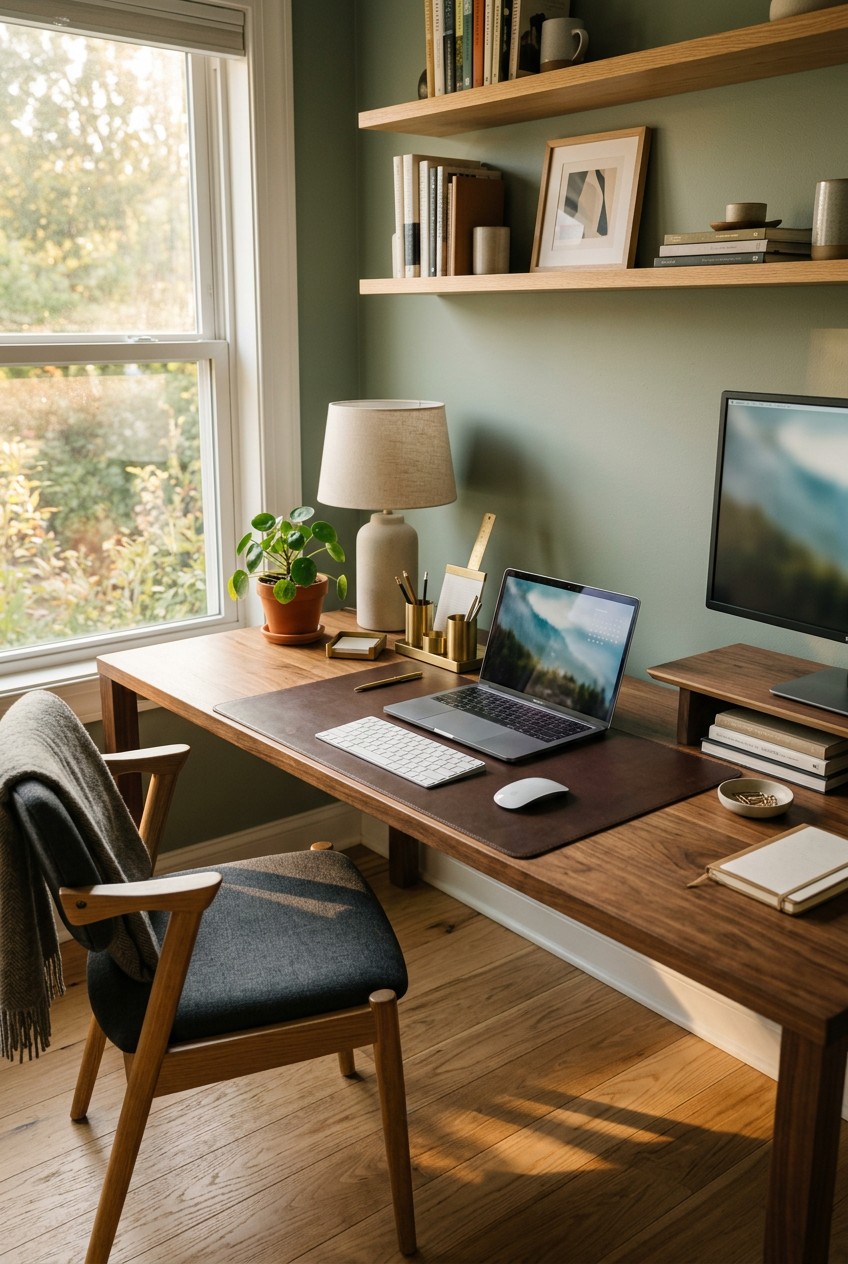
The 2026 home office trends are moving away from cold, sterile metals and cheap particle board. Designers call it “tactile naturalism.” I call it “making your desk not feel like a hospital cafeteria.” I used to work on a stark white laminate desk. It felt freezing on my wrists in the winter. The glossy surface reflected my harsh overhead light straight into my eyeballs, giving me a headache by noon. Now, I prioritize warm, natural materials like solid ash and bamboo. You don’t have to buy a whole new desk to get this calming vibe.
I started small with a Threshold Bamboo Monitor Stand for $24.99 from Target. The smooth, matte finish of the bamboo instantly warmed up my visual space. It smells faintly earthy, not like off-gassing factory chemicals. If you’re ready for a bigger upgrade, look into a solid wood desktop. A solid ash surface absorbs light instead of bouncing it back at you. This reduces visual fatigue significantly over an eight-hour workday. Skip the fake wood veneer. It peels at the edges after six months and looks terrible. Real wood ages beautifully. It gets tiny dents and scratches that just add character. I’m a huge fan of adding natural textures wherever possible. It grounds you. When you’re stressed about a looming deadline, resting your bare hands on real wood actually helps calm your nervous system. It’s a small sensory detail that makes a difference in how you feel at work.
2. Nail Your Ergonomic Measurements First

Most people get this wrong. I certainly did. I spent two entire years hunched over my laptop like a gargoyle. My lower back screamed at me every afternoon. I thought I just needed a softer chair cushion. I was wrong. Your office desk organization means nothing if your physical setup is causing you pain. You need precise measurements. Adjust your desk height so your elbows form a 90 to 110-degree angle when typing. Your forearms should rest perfectly straight on the surface. For most of us, this translates to a seated desk height between 25 and 27.5 inches (63.5 to 70 cm).
Go grab a Stanley 25-Foot PowerLock Tape Measure. They cost exactly $12.97 at Walmart. Measure your current setup right now. I’m willing to bet your desk is too high. Next, check your chair. Your feet must be flat on the floor. Your knees should mimic that same 90 to 110-degree angle. This usually means a chair height of 16.5 to 18 inches (42 to 46 cm). If your feet dangle, get a footrest immediately. I personally swear by adjusting the height before buying a single organizing bin. If you’re reaching up to type, you’re creating tension in your shoulders that will ruin your focus. Fix the skeleton of your workspace first. The aesthetic stuff comes later. I can’t stress this enough. A pretty desk that hurts your back is a useless desk.
3. Master Vertical Office Desk Organization

Let’s talk about the biggest mistake I see in home offices everywhere. People only use the flat horizontal surface of their desk. They spread everything out like a massive buffet. This eats up your usable workspace. You need to look up. Mastering vertical office desk organization is how you double your storage without buying a bigger desk. I’m obsessed with wall-mounted solutions. I used to keep my pens, scissors, and sticky notes in a sprawling mess around my keyboard. Now, they live on the wall in plain sight but out of the way.
If you have the budget, the Vitra Uten.Silo II Organizer is a stunning piece of functional art. It ranges from $300 to $1000 depending on the size and color. It has all these perfectly molded pockets and hooks. It holds everything from paper clips to heavy brass scissors. If you aren’t ready to drop hundreds of dollars on plastic, a standard pegboard works wonders too. I installed a simple white pegboard above my monitor. I bought a pack of metal hooks for $6.99. Now, my heavy noise-canceling headphones hang neatly out of the way instead of cluttering my desk pad. The visual relief of a clear desk surface is incredible. You don’t realize how much mental energy a cluttered desk drains from you until you clear it off. Get your daily tools off the desk and onto the wall today.

Rubbermaid Configurations Deluxe Custom Closet Kit 4-8 Ft.
Rubbermaid Configurations Deluxe Custom Closet Kit 4-8 Ft. Adjustable punches above its price — 81 buyers rated it 4.5 stars. I would buy it again.
4. Use Multi-Functional Desk Organizers

I hate single-use plastic junk. I really do. I used to buy these flimsy wire mesh pencil cups that tipped over if I put too many highlighters in them. They looked cheap, collected dust, and functioned poorly. You need organizers that pull their weight. Enter the multi-functional desk organizer. I personally swear by the Marbrasse Multi-Functional Desk Organizer. It usually runs between $15 and $40 depending on the specific configuration you choose. This thing is a workhorse for tiny items. You might also like: 20 Beautiful Aesthetic Home Makeover You Can Try Today
It features a top tray for things you grab constantly, a sturdy notebook holder in the back, and two small sliding drawers. The drawers are crucial. They hide the ugly, brightly colored items that create visual noise. Neon pink sticky notes and mismatched rubber bands belong in a drawer, not on display. By consolidating your supplies into one structured unit, you prevent the dreaded “central hub” of doom. You know what I’m talking about. That messy pile right in front of your keyboard where things just magically accumulate throughout the week. Having a designated, multi-tiered home for your supplies forces you to put things back properly. The Marbrasse organizer feels sturdy. The drawers slide with a satisfying little click. It won’t slide around when you bump it with your elbow. Skip the flimsy wire mesh cups. Invest in something solid that hides the clutter. You might also like: 15 Clever DIY Easy Home Decor to Inspire Your Next Project
5. Conquer Cable Clutter For Good

Nothing ruins a beautiful workspace faster than a tangled rat king of black and white charging cables. It looks messy. It collects massive dust bunnies that are impossible to vacuum without sucking up a cord. I lived with a chaotic web of cords dangling behind my desk for years. I’d accidentally kick my monitor plug out of the wall at least once a month. It’s frustrating when your screen goes black mid-sentence. You have to conquer cable clutter if you want a calm environment. You might also like: 20 Gorgeous DIY Waste Materials Home Decor Ideas for Any Style
Start by centralizing your connections. I bought the Anker 7-Port USB 3.0 Hub for $29.99. It sits neatly at the back edge of my desk. All my peripherals plug into this one sleek black bar instead of trailing down to my computer tower on the floor. Next, you need to stop your phone charger from slipping off the back of the desk every time you unplug it. I use Cable Blocks Magnetic and Weighted Cord Organizers. A set of four costs about $24.99. These little heavy silicone blocks grab onto your cord and stay exactly where you put them on the desk. They feel dense and premium. They don’t use sticky adhesive that ruins your expensive wood finish. Just drop them on the desk and they stay put. Hiding the bulk of your wires in an under-desk tray and securing the active ends on top will instantly make your desk look professionally styled.
6. Adopt a “Digital-First” Mindset

We need to talk about paper. Paper is the ultimate enemy of a clean desk. I used to keep every single receipt, invoice, and meeting agenda in physical folders. My desk looked like a 1990s accounting firm. The paper piles literally cast shadows across my keyboard. The 2026 trend is all about a “digital-first documentation” mindset. You have to stop the paper at the door. I started scanning physical documents the second they touch my desk.
I use an app called Receipts by Wave. It’s completely free. I just snap a photo of the receipt on my phone. The app extracts the data and stores it securely. Then, I throw the physical paper straight into the shredder. For larger documents, I use Google Drive. I pay $1.99 a month for 100GB of storage. I set up a strict folder hierarchy. My main folders are simply “Clients,” “Projects,” and “Admin.” Productivity experts like Tiago Forte preach this method, and they’re right. It makes everything searchable. I remember frantically digging through a massive stack of papers looking for a Costco receipt for a $400 office chair I needed to return. The cheap ink had rubbed off on my hands, and I couldn’t find the receipt for an hour. Now? I just type “Costco” into my phone and the image pops up in two seconds. Stop hoarding paper. Digitize it immediately and shred the evidence.

3-Tier Hanging Laundry Basket Organizer:Foldable Wire Shelf
3-Tier Hanging Laundry Basket Organizer:Foldable Wire Shelf Laundry Ro has been one of the most consistently praised picks in this category. 518 reviewers averaged 4.5/5.
7. Fix Your Lighting With a Monitor Bar

Overhead lighting in most homes is terrible for focused computer work. It’s either too dim, making you squint at your notebook, or it’s a harsh glare that bounces off your screen and gives you a migraine by 3 PM. I used to use a cheap gooseneck desk lamp I bought in college. It took up a huge chunk of my desk space and created harsh shadows across my keyboard. I finally upgraded to a monitor light bar, and I’m never going back to a standard lamp.
I bought the BenQ ScreenBar Plus. It costs $139.00. Yes, that feels steep for a light, but it’s worth every penny. It clips securely onto the top bezel of your monitor. It doesn’t take up a single square inch of your desk surface. The genius part is the specific light angle. It shines perfectly straight down onto your desk, illuminating your keyboard and paperwork, but it doesn’t hit your screen at all. Zero glare. Zero eye strain. It comes with a weighted metallic dial that sits on your desk. You spin it to adjust the brightness and the color temperature. In the morning, I use a cool, crisp blue light to wake up. By 4 PM, I dial it over to a warm, cozy amber light to wind down. It feels premium. The dial has a smooth, heavy resistance when you turn it. Don’t rely on your dusty ceiling fan light.
8. Declutter Drawers With Modular Dividers

If the top of your desk is clean, but your drawers look like a junk drawer from a college frat house, you aren’t really organized. You’re just hiding the mess. I used to just throw my pens, paper clips, and random USB drives into my main desk drawer. Every time I opened it, everything slid to the back with a loud, chaotic rattling sound. I could never find a working pen when I needed one on a client phone call. Drawer-level chaos is a time waster. You need modular drawer dividers. They create specific boundaries for your loose items. Learned that the hard way.
If you want something beautiful, the Marie Kondo Hikidashi Bamboo Drawer Organizers are gorgeous. A set usually runs about $49.99. They feel smooth and look high-end inside the drawer. If you’re on a tighter budget, I recommend the BINO Multi-Purpose 4 Section Plastic Drawer Organizers. You can get a 2-pack for around $11.99. The key is the modular aspect. You can arrange the different sized rectangles to perfectly fit the dimensions of your specific drawer. I have a tiny square bin just for paper clips. A long rectangular bin holds my favorite black gel pens. When I open the drawer now, there’s no rattling. Everything stays exactly where it belongs. It’s visually soothing. Pro tip: Measure the inside height of your drawers before you buy these. I once bought a set that was a quarter-inch too tall, and my drawer wouldn’t close. I was furious.
9. Stop Piling and Start Filing

Let’s address the paper that you actually have to keep. Even with a digital-first mindset, some physical documents are unavoidable. Wet-ink contracts, physical mail, and handwritten notes still exist. The most common mistake I see is “piling instead of filing.” I used to do this constantly. I’d stack active projects in a massive pile on the corner of my desk. I convinced myself I knew exactly where everything was. But when I needed a specific file, I’d have to lift the top heavy half of the pile, inevitably dropping papers all over the floor.
Piling creates low-level anxiety. You see a mountain of work staring at you all day long. You need a vertical file organizer. Storing things vertically means you can pull one folder out without disturbing the rest. I use the Marbrasse 6-Tier Paper Organizer. It costs about $35.99. It sits on the back corner of my desk. Each tier holds a different active project. The metal mesh is sturdy and doesn’t bend under the weight of heavy cardstock folders. I label each tray with a simple white sticker. “Urgent,” “Pending,” “To Read.” It takes the mental load off my brain. I don’t have to remember what’s in the pile anymore. The system holds the information for me. If you have a stack of papers on your desk right now, order a vertical sorter immediately. Stop the piling habit today. It’s ruining your productivity.
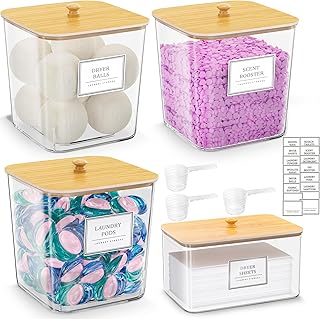
HomePekite Laundry Pods Storage Container
Honestly, HomePekite Laundry Pods Storage Container surprised me — sturdier than it looks in the photos, and over 15 buyers gave it 4.5 stars.
10. Add Biophilic Elements for Better Focus

Your workspace shouldn’t feel like a sterile cubicle from 1998. Integrating biophilic design is a trend, and it’s backed by science. Bringing natural elements into your workspace lowers your heart rate and improves deep focus. I used to have a fake plastic succulent on my desk. It collected a thick layer of gray dust and looked depressing. I finally threw it out and bought a real plant.
I highly recommend a snake plant or a ZZ plant. They are nearly impossible to kill, even if you forget about them. I bought a gorgeous Costa Farms ZZ Plant in a 6-inch white ceramic pot for $28.99 at Whole Foods last month while grabbing groceries. It sits perfectly next to my monitor. The deep green, waxy leaves add a pop of vibrant color to my otherwise neutral desk. It requires water maybe once a month. The texture of the real leaves and the organic shape breaks up all the harsh, straight lines of monitors and keyboards. It genuinely makes the air feel fresher around my desk. If you don’t have enough natural light for a plant, bring in nature through materials. A rough-hewn stone paperweight or a natural cork mousepad can provide that grounding, earthy texture. We aren’t meant to stare at glowing screens and gray plastic for eight hours a day. Give your eyes a natural resting place.
11. Create a Dedicated Wireless Charging Zone

I can’t tell you how many times my phone has died in the middle of an important client call because I forgot to plug it in. I used to have a frayed white lightning cable snaking across my keyboard. I’d constantly knock it off the desk with my elbow. It looked terrible and functioned worse. You need to create a dedicated wireless charging zone. It eliminates cable visual noise and ensures your devices are always at 100 percent.
I use the Anker 15W Wireless Charger. It costs $25.99. It’s a sleek, flat black disc that sits flush on my desk mat. It charges my Qi-compatible phone at full speed. The best part is the habit it builds. I no longer have to fumble with plugging a tiny cord into my phone while I’m distracted. I just set the phone down on the disc when I sit at my desk. It’s a frictionless movement. The charger is slim enough that it doesn’t look like a bulky piece of tech gear. It blends right into the dark surface of my desk mat. If you use wireless earbuds, you can drop the case right on the same charger when your phone isn’t on it. Consolidating your charging needs to one wireless pad is a tiny tweak that makes your desk feel modern and organized. You won’t regret this one.
12. Practice the “One-In, One-Out” Rule

This is the secret sauce to maintaining your organization long-term. You can buy all the beautiful bamboo trays in the world, but if you constantly bring new junk to your desk, it will get cluttered again. I struggled with this for years. I love office supplies. I’d buy new highlighters and notebooks constantly. My drawers would overflow, and the mess would creep back onto the desktop. Now, I practice the strict “one-in, one-out” rule.
If a new item enters my workspace, an old item must leave. Last week, I bought a fresh 4-pack of Sharpie S-Gel Pens for $5.49 at Kroger. Before I put them in my drawer, I forced myself to throw away four old, crusty pens that were skipping ink. If I buy a new notebook, I have to archive an old one on my bookshelf. This rule forces you to evaluate what you actually use. It stops the mindless accumulation of clutter. It’s a hard habit to build at first. You’ll want to keep the old stuff “just in case.” Don’t do it. You won’t use that dried-out highlighter. Throw it in the trash right now. Maintaining balance is the only way to keep your desk looking like the day you organized it. It requires discipline, but the mental clarity is worth the effort.
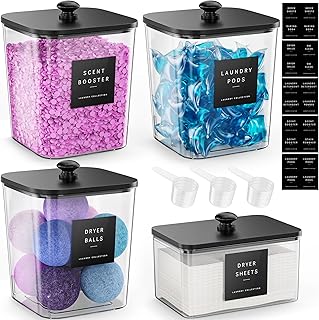
4 Pack Laundry Pods Container
If you want something that just works, 4 Pack Laundry Pods Container is a safe bet (473 reviews, 4.5 stars).
13. Protect Your Office Desk Organization With a Mat

Your desk surface takes a beating every day. Hot coffee mugs, scratching watch clasps, and heavy metal keyboards will destroy a wood finish over time. I ruined a beautiful mid-century modern desk because I didn’t use a mat. My metal watch band gouged deep scratches right where my left wrist rested. It makes me angry every time I look at it. Don’t make my mistake. You need a high-quality desk mat. It protects your investment and visually defines your workspace. Trust me on this.
I use the DeltaHUB Desk Pad. I bought the medium size for $45.00. The synthetic felt material feels soft under my forearms. It absorbs the sound of my mechanical keyboard, making my typing much quieter on Zoom calls. It also provides a smooth surface for my mouse. No more ugly plastic mousepads required. I once spilled a half-can of Trader Joe’s sparkling water on it. The water beaded right up, and I wiped it off with a towel before it soaked through to the wood. A large desk mat acts like a frame for your keyboard and monitor. It visually anchors the center of your desk, making everything look intentional and tidy. For a truly clean look, I also installed a Kikkerland Hidden Tray under my desk for $15.00. It holds my chapstick and screen wipes completely out of sight. It’s the perfect finishing touch to a clean desk.
Wrapping this up. Office desk organization isn’t a one-time project. It’s an ongoing habit. I highly recommend doing a quick five-minute reset at the end of every workday. Put your pens back in the drawer. Wash your coffee mug. Wipe down your desk mat. It makes sitting down the next morning a joy instead of a chore. Then, once a month, do a deeper review. Ask yourself what’s working and what’s annoying you. Adjust your system as your workflow changes. I promise you, taking the time to set up this system will drastically reduce your daily stress. You’ll work faster, feel calmer, and actually enjoy sitting at your desk. Pin this post to your home office Pinterest board so you can reference these exact products and measurements later. Now go measure your desk height and throw away those dried-out pens!
Frequently Asked Questions
How do I start organizing a very messy desk?
Start by removing absolutely everything from the desk surface. Wipe it down, then only put back the items you use daily. Store the rest in drawers, wall organizers, or digitize loose papers to prevent clutter from returning.
What is the best way to hide desk cables?
Use an under-desk cable tray to hold bulky power strips. Centralize your USB connections with a hub, and use weighted magnetic cord blocks on your desktop to keep active charging cables from slipping out of reach.
How tall should my desk be for proper ergonomics?
Your desk should be at a height where your elbows form a 90 to 110-degree angle when typing. For most people, this means a desk height between 25 and 27.5 inches. Your feet must rest flat on the floor.
How can I organize desk drawers effectively?
Use modular drawer dividers made of bamboo or plastic. Measure your drawer’s interior height first. Assign specific, small compartments for different items like pens, paper clips, and sticky notes to stop them from rattling around.
